
Build a Stable Reef Tank. Track Everything. Grow Healthier Corals.
Managing a reef tank or saltwater aquarium isn’t guesswork. It is precision.
ReefKG is an advanced reef tank app and monitoring system designed to help hobbyists and professionals track water parameters, automate dosing, and maintain long-term reef tank stability.
Whether you’re setting up a nano reef tank, managing a complex coral reef aquarium, or maintaining a saltwater aquarium, ReefKG gives you real-time insights, automation tools, and data-driven recommendations to keep your reef thriving.
A successful reef aquarium and saltwater aquarium depend on stable parameters, not just good enough numbers.
Fluctuations in:
ReefKG helps you:
Monitor and log:
Get a complete reef tank parameter tracker in one place.
Turn your reef tank or saltwater aquarium into a smart system:
Perfect for advanced reef tank automation setups.
No more manual calculations.
Use our reef tank dosing calculator for:
Designed for accuracy and coral safe dosing.
Your entire aquarium in your pocket:
The ultimate reef monitoring app for serious hobbyists.
Improve:
ReefKG helps you create the perfect environment for coral reef tank and saltwater aquarium growth.
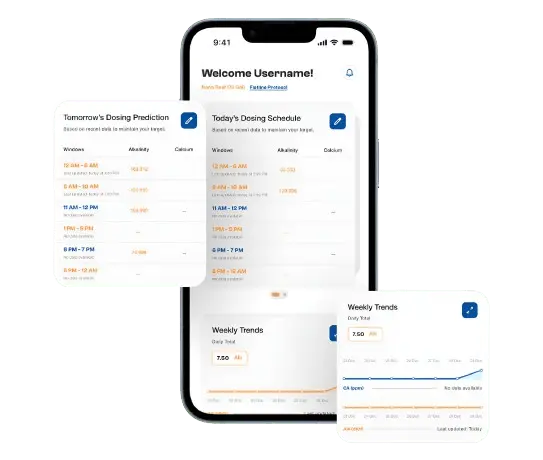
Embrace a smarter way to manage your reef’s chemistry. Introducing ReefKG’s all-new dashboard featuring a cleaner, more intuitive experience to take the guesswork out of daily dosing, whether you’re running a nano reef or a larger system.
Get a clear view of how alkalinity and calcium will be distributed across your day at-a-glance. Colour-coded time blocks show exactly when you dose: Orange denotes alkalinity, while Blue stands for Calcium. Check back daily to confirm your doses are being delivered as planned.
Define the time blocks during which alkalinity and calcium are dosed throughout the day. Instead of one large daily dose, distribute doses evenly across multiple windows to minimize parameter spikes that stress corals.
Get up-to-date dosing forecasts for tomorrow based on your tank’s actual consumption. For maximum accuracy, test in the evening around 7 PM.
Our smart reminder prompts you to align your light schedule with coral activity cycles. Synchronizing your dosing windows with photosynthesis activity supports more efficient coral calcification and growth.
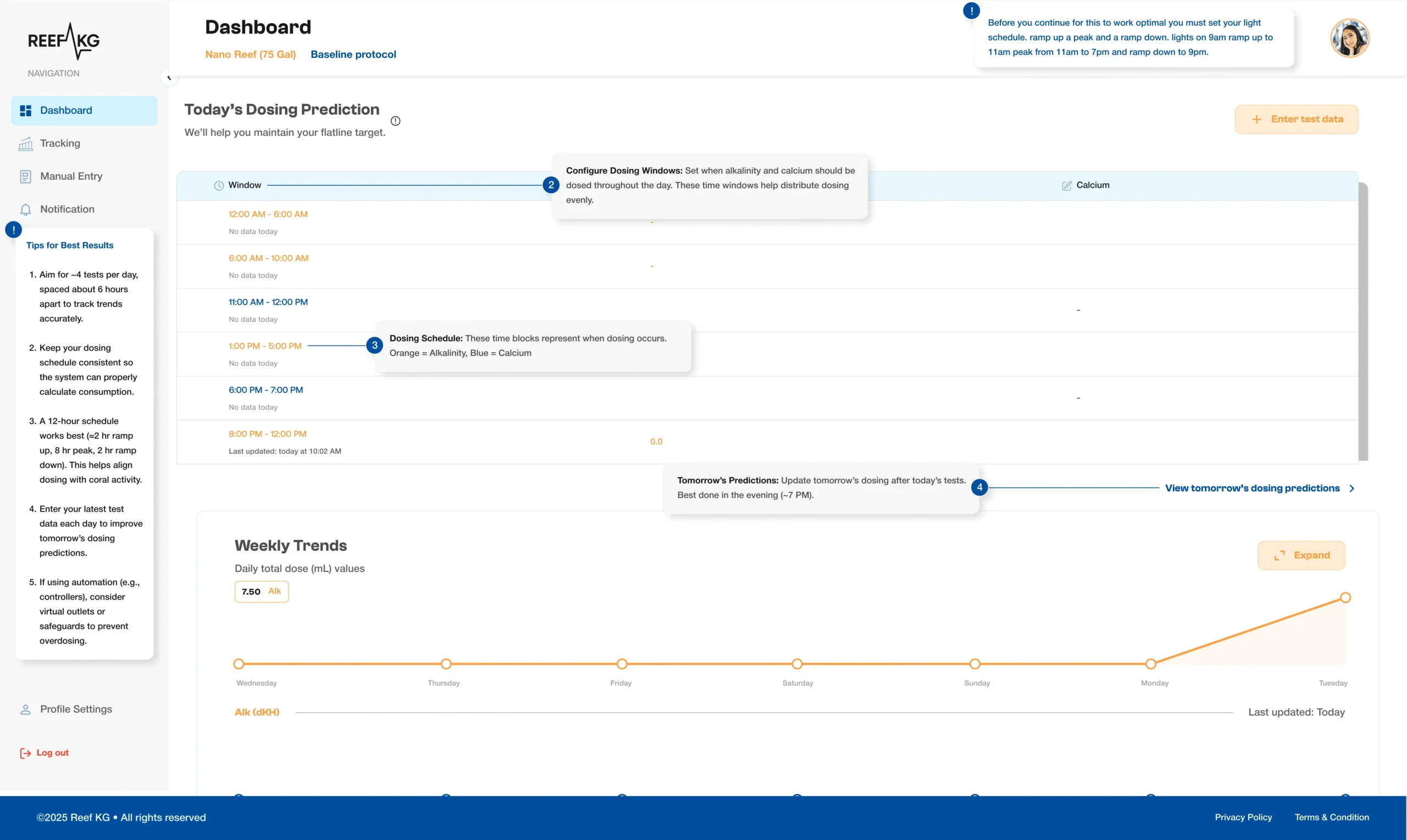
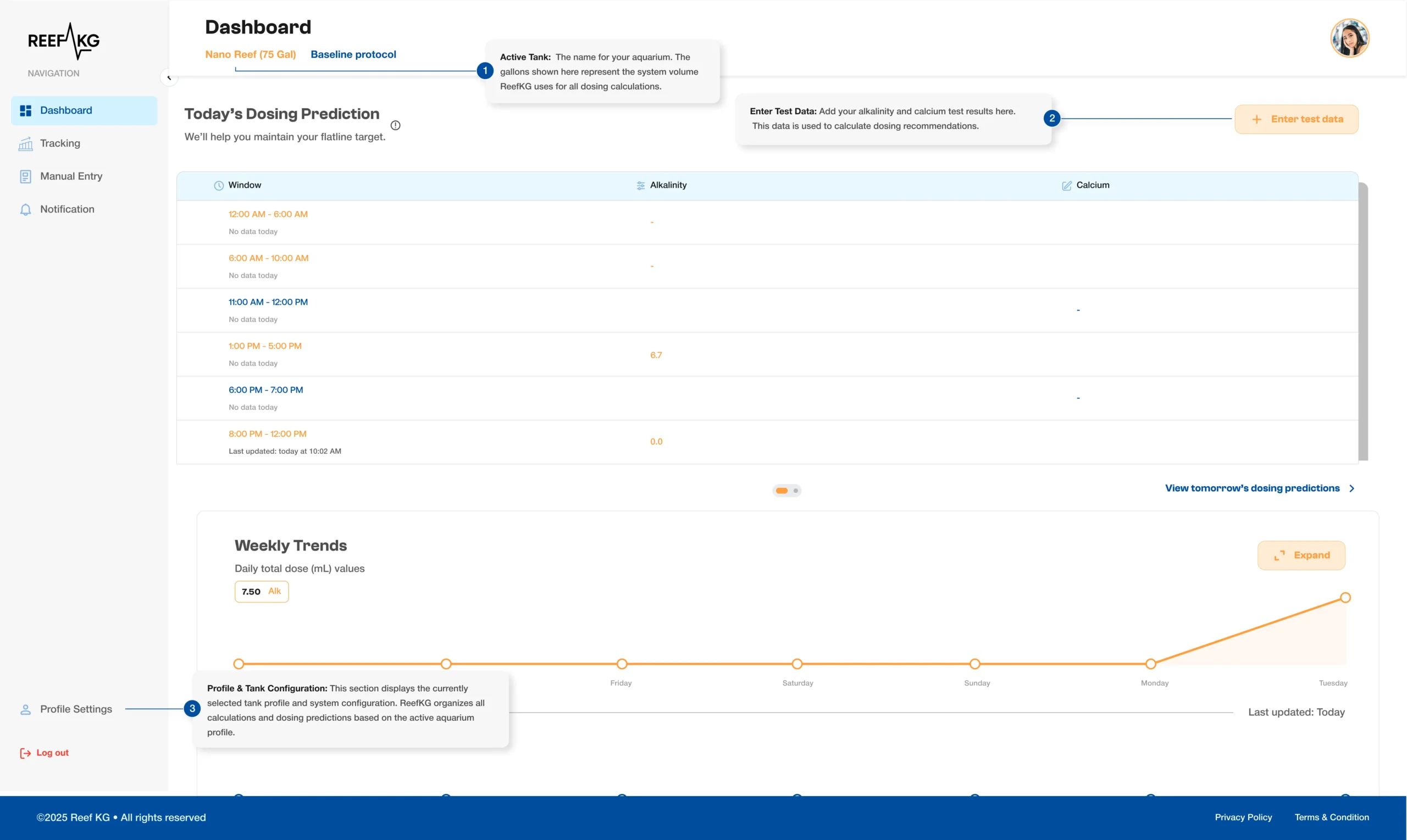
The ReefKG dashboard puts everything you need to manage your reef’s daily chemistry in one clean, connected view. Here’s what’s new and how each feature works together.
The Active Tank indicator at the top of your dashboard displays your current aquarium profile based on your actual tank size.
Tap it to log your latest alkalinity and calcium readings. ReefKG immediately uses this data to recalculate your dosing recommendations and update tomorrow’s predictions. The more consistently you log, the more accurate your forecasts become over time.
At the bottom of the navigation panel, you can see your tank profile and system configuration that forms the basis for all calculations and dosing predictions. Make sure to update your setup in case of any changes to ensure accuracy.
The graph plots your daily total dose in mL across the week, from Wednesday through to today. An upward curve visible on the right side of the graph signals increasing consumption, while a stable, consistent line suggests stable reef chemistry.
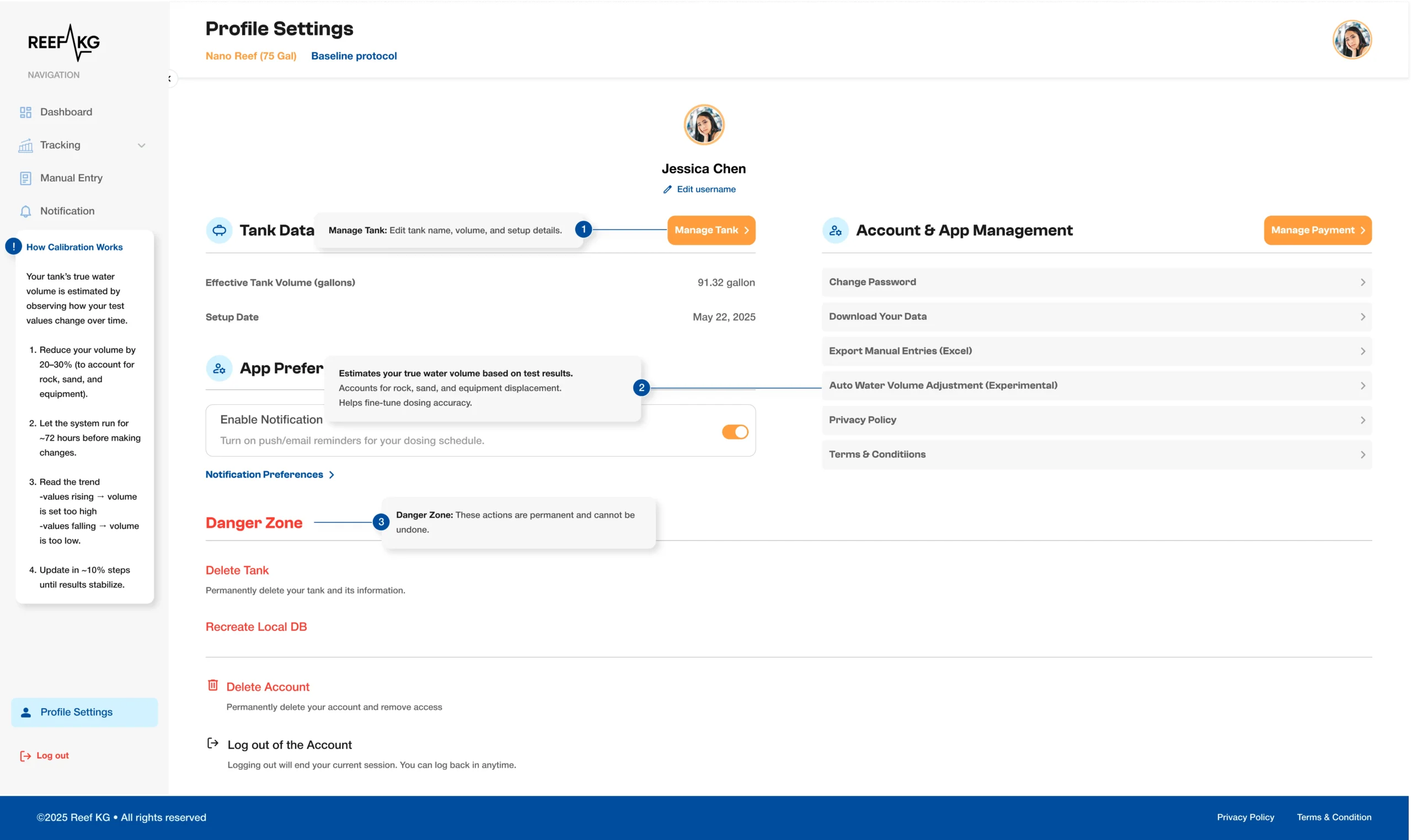
This is your central hub for managing everything behind your ReefKG experience, from tank configuration and calibration to account security and data management.
The Tank Data panel displays your effective tank volume and your original setup date. Hit Manage Tank to edit your tank name, adjust volume, or update setup details.
ReefKG estimates true water volume by observing how your test values change over time. This includes not just the tank’s capacity but the amount of water displaced by rock, sand, and equipment.
Start by reducing your volume setting by 20–30% and let the system run for 72 hours. Read the trend, and make gradual additions by 10% until your predictions stabilise.
This panel lets you toggle push and email reminders for your dosing schedule to ensure consistent logging.
Manage your account in one place; change your password, download your complete data history, or export manual entries to Excel for offline analysis. The Manage Payment button keeps your subscription details up to date.
The actions performed in this section cannot be undone. Selecting Delete Tank permanently removes your ReefKG profile and all associated data. Recreate Local DB resets your local database. You can log back in at any time without losing your stored data.
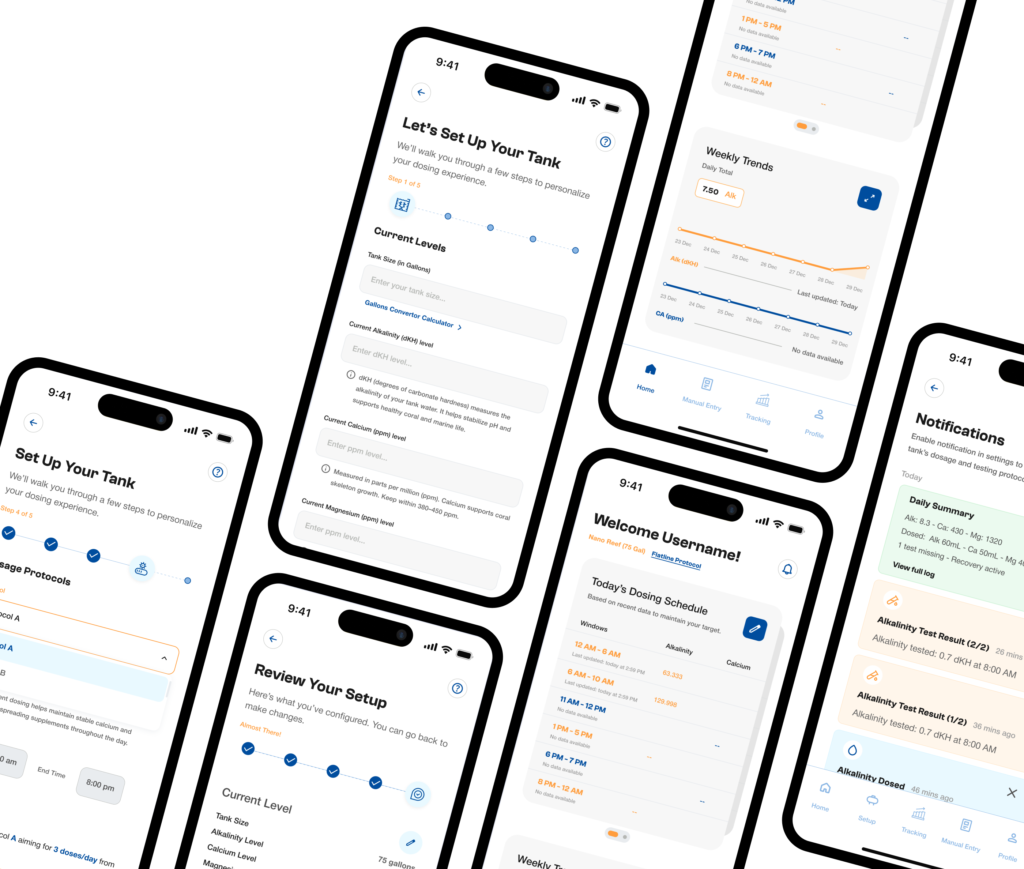
Whether you’re starting or scaling, ReefKG supports:
Maintain optimal levels with built-in guidance:
ReefKG tracks, alerts, and helps you correct deviations instantly.
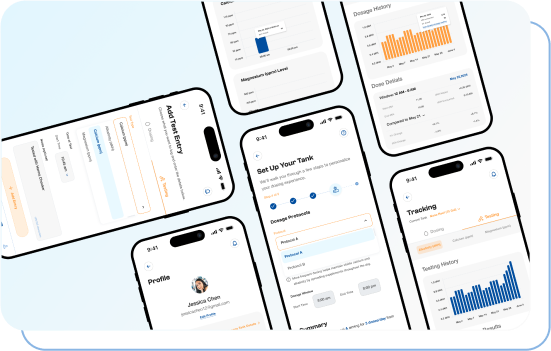
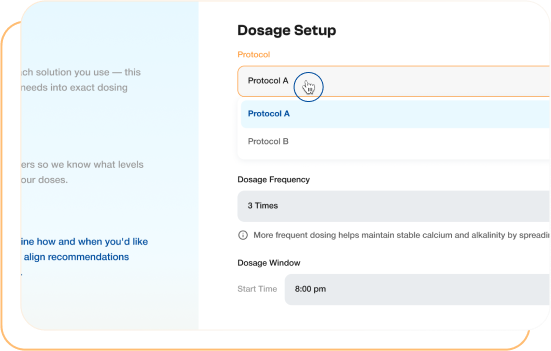
If you care about reef tank maintenance, saltwater aquarium stability, and long term growth, ReefKG is built for you.
ReefKG does not just track, it helps you fix problems before they become disasters.

Create a fully integrated reef tank automation system.
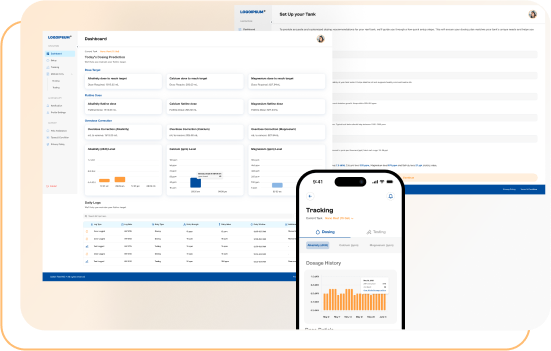

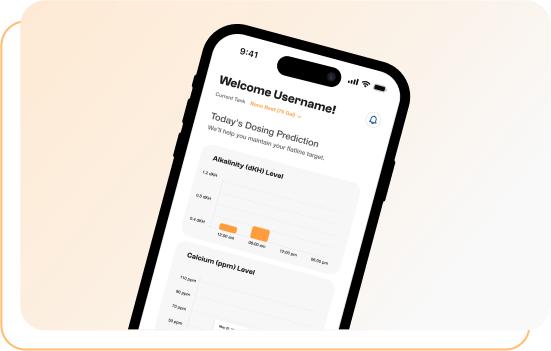
ReefKG is designed as a complete reef tank monitoring app, combining parameter tracking, dosing calculators, and automation tools in one platform.
Consistency is key. Monitor parameters daily, avoid sudden changes, and use tools like ReefKG to track and automate your reef system.
Stable ranges include pH 8.1 to 8.4, alkalinity 7 to 11 dKH, calcium 400 to 450 ppm, and magnesium 1250 to 1350 ppm.
Yes. ReefKG includes a beginner reef tank guide, setup instructions, and automated recommendations.
Yes. It includes a reef dosing calculator and automated dosing schedule tools.
Stop guessing. Start growing.
Use ReefKG to: